An output interruption is reported. What should the team do next?
Follow Inverter 02 at Riverside Industrial Solar: identify the interruption, investigate the existing work, review a proposed response and see what still needs to happen before an outcome can be established.
Riverside is a fictional operating case shown in the actual product. The records stop short of an approved visit or verified repair. This walkthrough follows the decisions—not a claim that every stage has been completed.
Preparing a regulatory review instead? See the reporting, loss-evidence and settlement workflows.
Identify the equipment and the question to investigate.
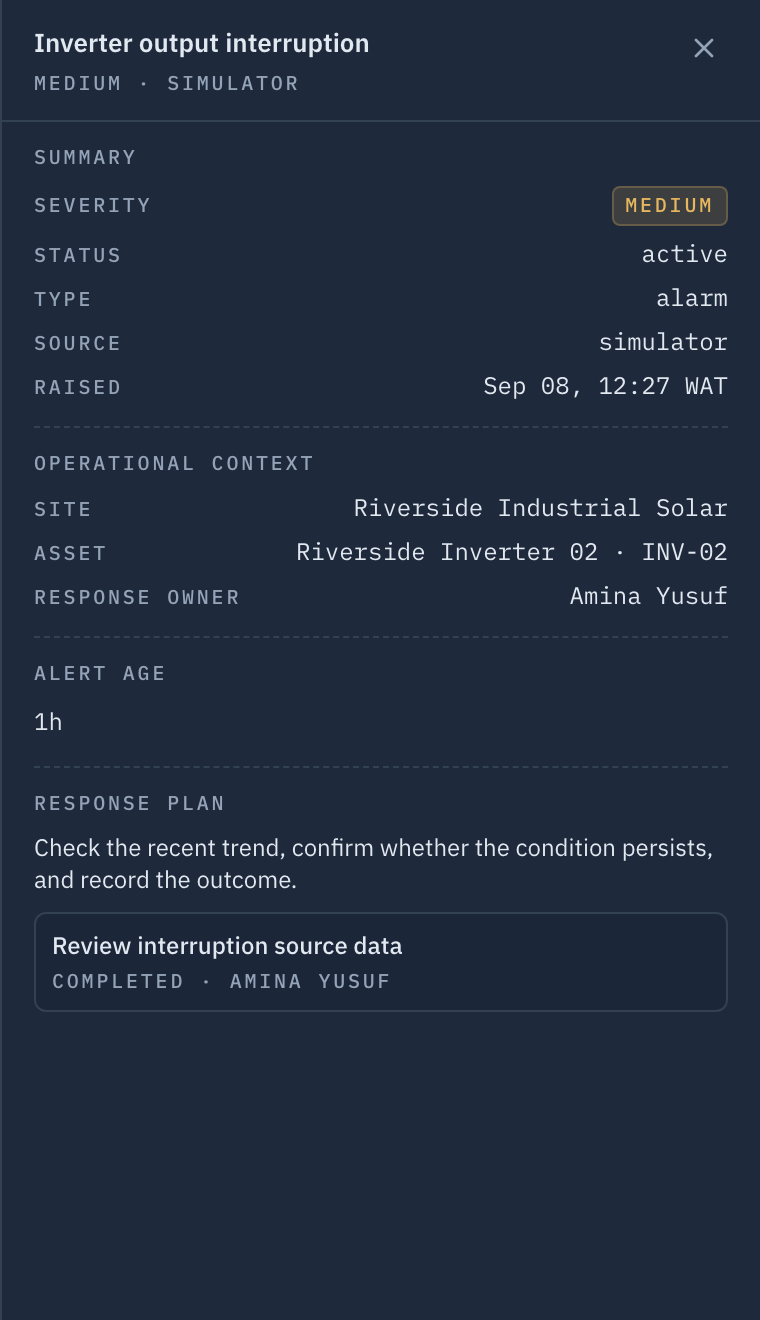
An output-interruption alert identifies Inverter 02, its site and medium severity. The team needs to distinguish an equipment problem from a gap in the readings. Gen318 puts the alert and response context together; the physical cause and operational impact remain unresolved. Severity is a routing input rather than a diagnosis: it decides who sees the alert and how quickly, and says nothing about what the equipment is doing.

Use the existing work to make the next decision.
Ask connects two records for the inverter: an earlier inspection that is still open and a completed source-data review. The review found an undetermined cause and recommended continued monitoring. That gives operations a useful next step: inspect the open job’s scope before sending another team. Neither record closes the question on its own; together they narrow it, which is the difference between a second visit that is planned and one that repeats work already done.
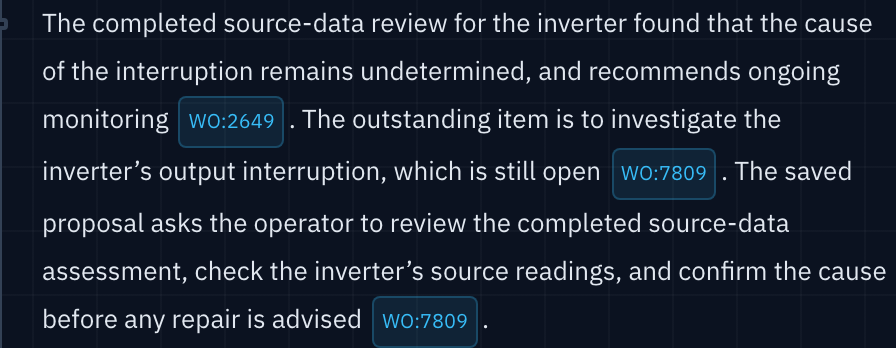
These are different event-linked jobs on the same asset, not successive states of one work order. The inspection was created on 7 September; the source-data review was completed on 8 September before this Ask handover. Ask makes that history inspectable through source citations.
Review the scope before authorising more work.
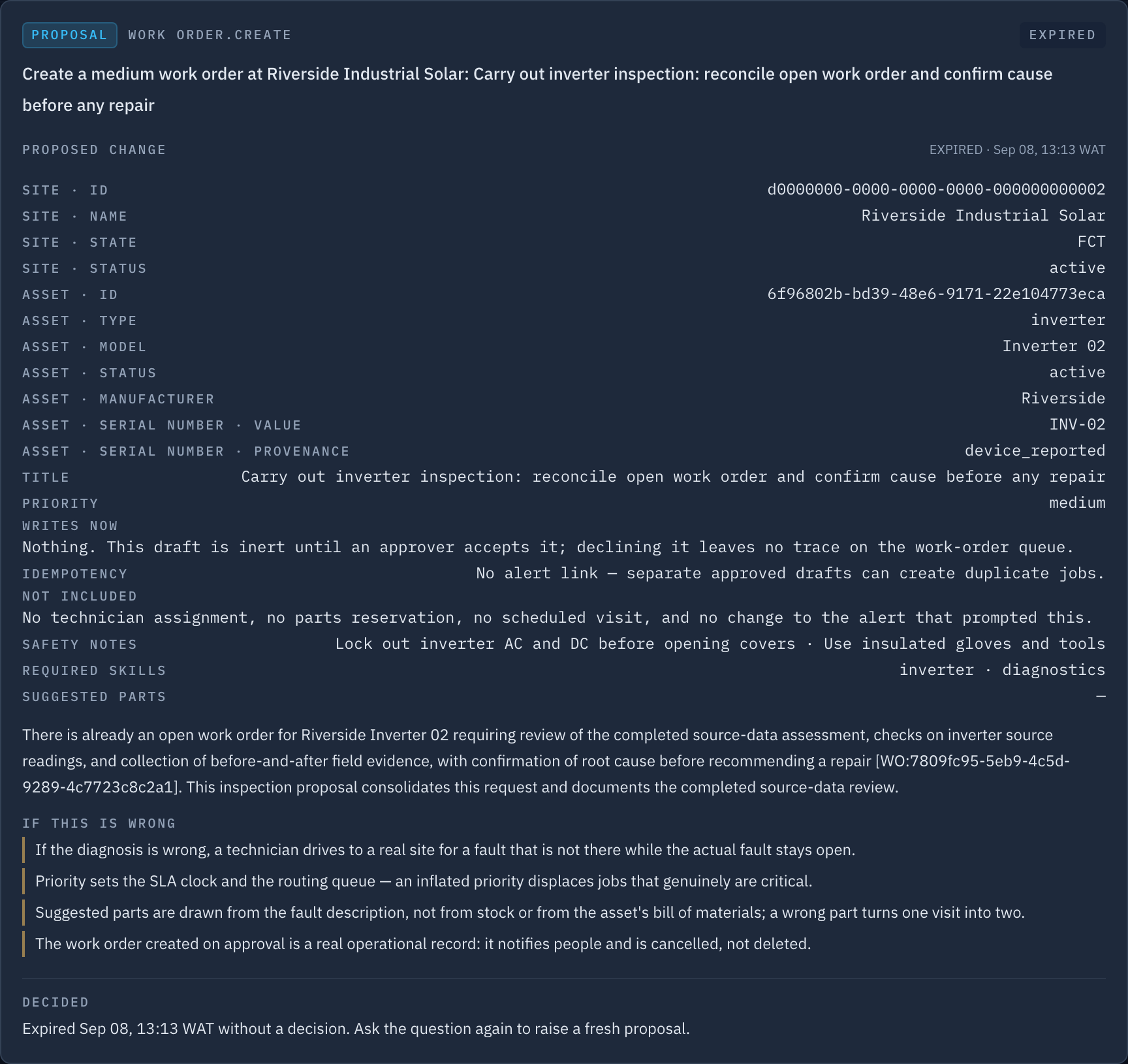
The proposal brings together source-reading checks, before-and-after evidence and the need to reconcile the open inspection. An authorised operator must assess that scope. This proposal expired without approval: it created no work order, assigned no technician and sent no equipment command.
The answer above and this proposal come from separate turns of the same investigation. The proposal’s accompanying final answer was withheld; the displayed handover is the earlier saved response.
Give the next visit a clear owner and scope.
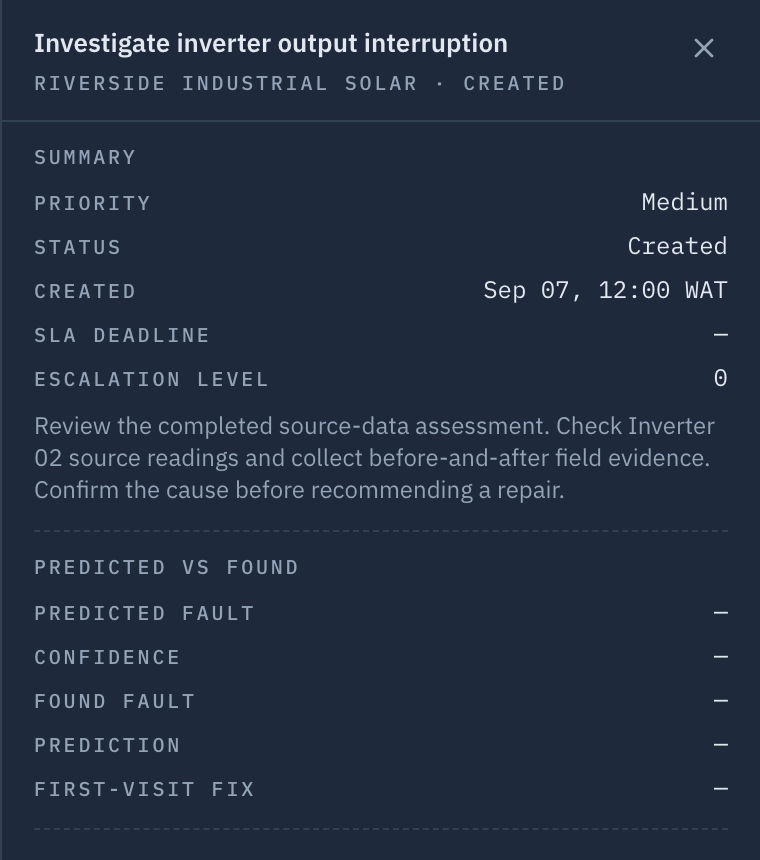
“Investigate inverter output interruption” remains Created and unassigned. This is the existing inspection Ask found—not a job created by the expired proposal. Its scope asks for inspection and findings; no attendance or repair has been recorded.
Keep “work completed” distinct from “problem resolved.”
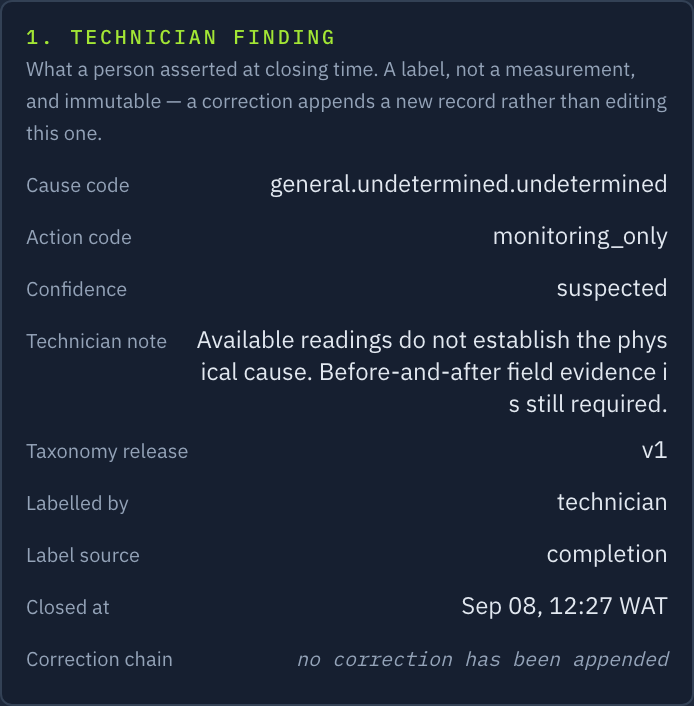
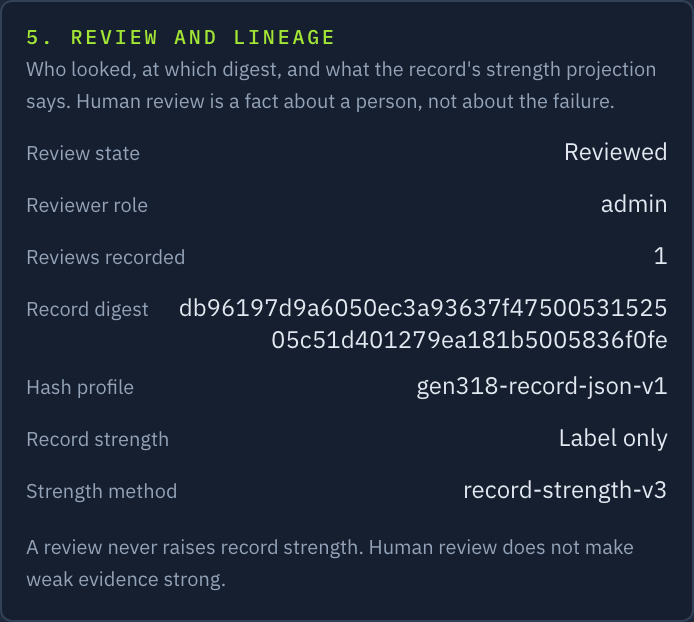
The completed source-data review shows why the distinction matters. Its technician record says “cause undetermined” and “monitoring only.” The supervisor reviewed that record and kept the equipment inspection open. This is prior context for the inspection—not its completion or a verified repair. A closed job and a solved problem are different states, and the record keeps them apart deliberately. Treating them as one is how a fault gets counted as fixed while the equipment carries on failing.
What is needed before verification can run?
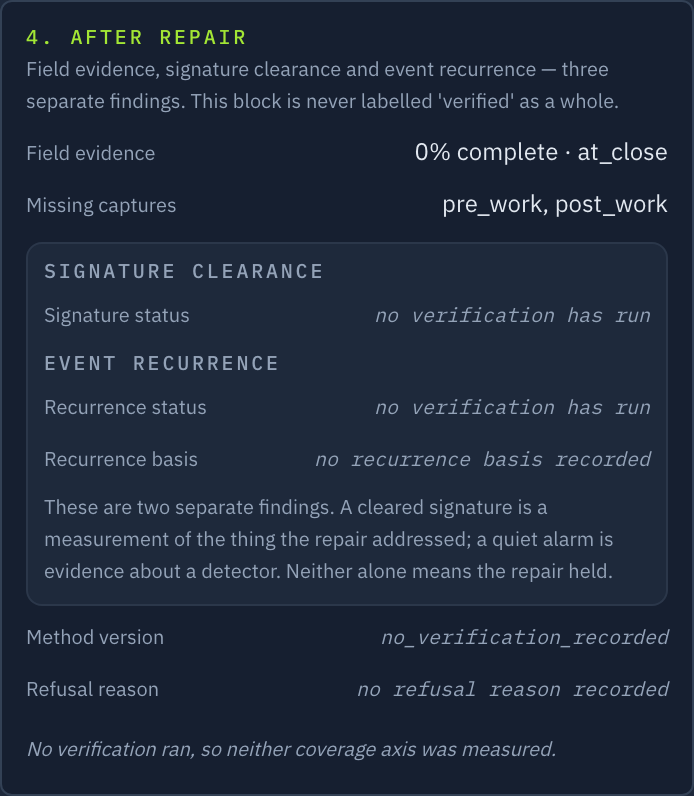
Verification needs eligible records, sufficient received and trustworthy telemetry, an applicable signature or approved policy, the observation window and enabled processing. This case has no verification record, and no verification worker was running at capture. The required observation window must follow the applicable verification basis. Time alone will not establish an outcome.
Match the workflow to your team and equipment.
These are implementation requirements to discuss for your deployment. The demonstration build does not establish production availability or a commercial entitlement.
Monitoring and field response
Start with a supported vendor account or mapped local signals. Confirm site assignments and operator or technician responsibilities. Viewing an issue and creating a work order do not themselves command equipment.
Ask and reviewed proposals
Ask needs its provider, feature and role access configured. Action proposals have additional controls. Equipment commands follow a separate enabled execution path with permission and safety checks. Ask and proposal drafting were enabled only in this isolated demonstration; no proposal was approved and equipment control remained off.
Client and portfolio outputs
Agree the site scope, reporting period, service definition and available records. Investor access is limited to portfolio memberships; finalisation requires an owner. Report access does not imply access to every operator screen.
Evidence and repair review
Evidence assessment, post-repair checks and supervisor review have their own setup and permissions. Confirm the authorised reviewers and required records. A human review is not independent certification.
Supporting outputs: client report · portfolio report · programme evidence preparation
Walk through the decisions your team needs to make.
Bring an operating question, your equipment mix and the people responsible for response. We will show how an issue, investigation, work order and outcome check fit together.